A bookkeeper finishes categorizing three months of transactions for a restaurant client. She reconciles the bank account, checks the GST/HST coding, and moves the file to the reviewer’s queue. Two days later, the reviewer opens it and finds a $4,200 equipment purchase with no supporting invoice. He emails the bookkeeper. She searches the shared drive, then her inbox, then messages the client. The client replies four days later with the receipt attached to a text. The bookkeeper updates the file and sends it back. The reviewer picks it up again, and now notices the bank reconciliation is off by $87 because a duplicate feed transaction posted during the delay. The file goes backward. Again.
Nobody made a catastrophic error here. The work was not wrong. The workflow made the team do parts of it twice. That pattern has a name, and it costs Canadian firms more capacity than most partners realize.
The fix is not to work faster or add another tool. First, find where work is moving backward, understand why it happens, and change the parts of the workflow that create unnecessary touches. This article gives you a framework for finding those loops, classifying what causes them, and redesigning the handoff so the work stops bouncing back.
Bookkeeping rework is work that has to be repeated because information, context, ownership, or readiness was missing or incorrect at an earlier stage. It is not the same as review. You reduce it by mapping one recurring workflow, marking every point where work moves backward, tracing each loop to its process-level cause, and redesigning the handoff, rather than telling staff to be more careful or buying another tool.
Rework rarely starts at the moment someone finds an error. It starts earlier, with a weak handoff, a missing document, duplicate entry, fragmented systems, or work moving before it is ready.
- Rework is avoidable repetition, not legitimate review. The two get lumped together, so nobody sees how much capacity rework consumes.
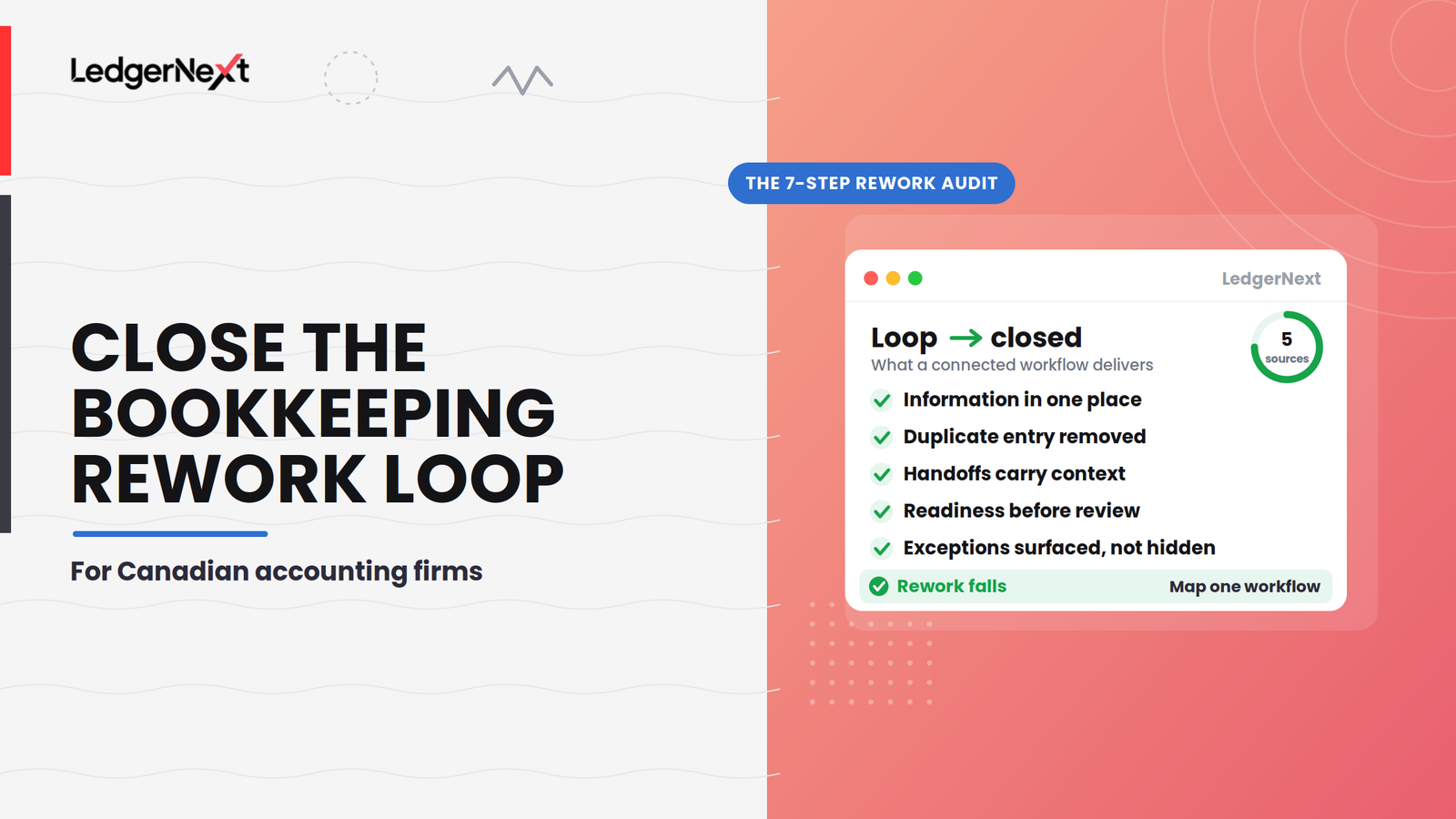
- Five sources drive most of it: duplicate data entry, scattered information, incomplete handoffs, premature review, and manual cross-system checking.
- Run a 7-step audit on one workflow: map handoffs, mark backward movement, classify the cause, count it, trace the root cause, remove the loop.
- Automation makes a good workflow faster and a bad one repeat faster, so map and redesign before you automate.
What is bookkeeping rework?
Bookkeeping rework is work that has to be repeated, corrected, reopened, or reconstructed because something earlier in the workflow was incomplete, unavailable, unclear, or incorrect.
That definition matters because it separates rework from the normal work of bookkeeping. Re-entering data that already existed somewhere else, requesting a document the client already sent, rebuilding a report because the source changed after delivery, reopening a file marked complete, searching four systems to reconstruct context that should have travelled with the file: that is rework.
Rework isn’t the same as review
Review is necessary. Corrections can be necessary. Professional judgment is necessary. Not every second touch is waste. A reviewer catching a misclassified expense and correcting it is quality control, and that is the system working as intended. The problem is avoidable repetition.
The difference is easiest to see in the shape of the workflow. A healthy file moves forward:
A file in a rework loop moves backward and forward:
The second pattern consumes far more capacity, because each backward step forces someone to reopen the file, re-familiarize themselves with the engagement, and redo work they thought was finished. One pattern across growing firms is that these two get lumped together, so the workflow failures hide behind the legitimate review corrections, and nobody tracks them separately.
Why disconnected workflows create rework
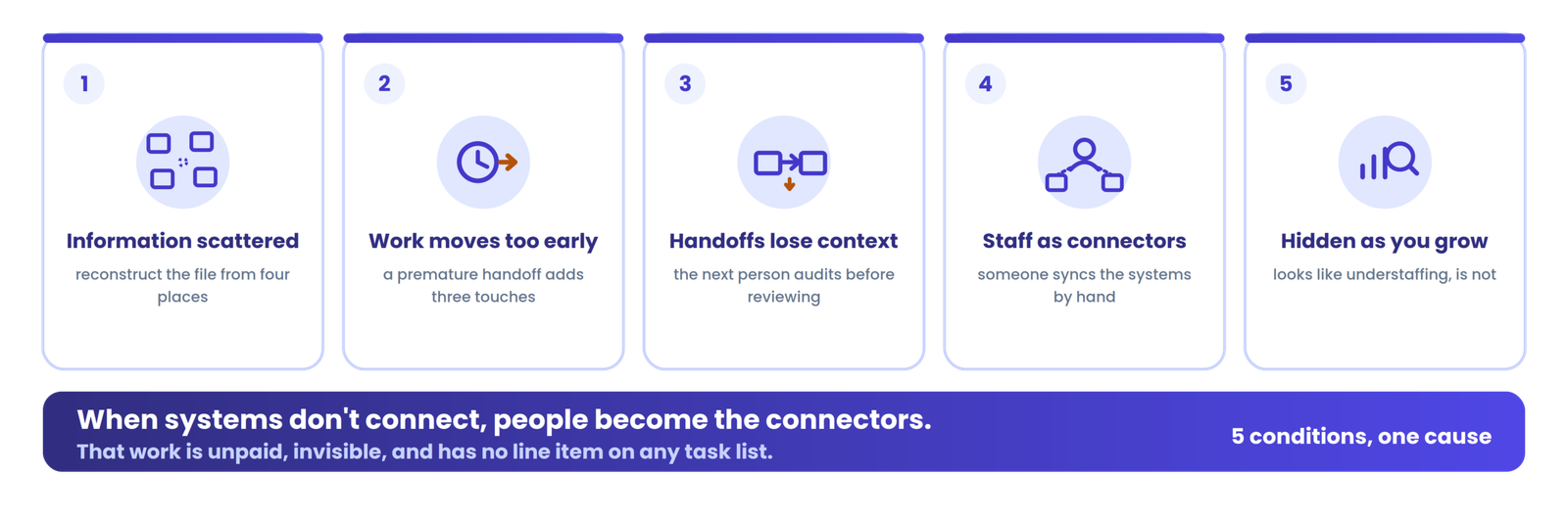
Rework is usually a symptom of a workflow where information, ownership, and readiness are separated across systems or stages. Five conditions produce most of it.
Information exists, but not where the next person needs it
A client’s bank statement sits in email. The categorized transactions live in the accounting software. The task status is tracked in a spreadsheet. A question about an unusual deposit was answered in a different email thread three weeks ago. Every piece of information exists, but the reviewer opening the file has to reconstruct the full picture from four locations before doing anything useful. That reconstruction is rework, and it is invisible on any task list because it has no line item of its own.
Work moves before it is ready
This is the trigger that hides best. A file sitting next in line for review does not mean it is ready for review. Wolters Kluwer’s workflow research makes the point directly: visible bottlenecks like review delays often originate earlier, through poor intake, disconnected systems, and work moving forward before it has everything it needs. As they put it, work that moves too early often moves more than once.
A bookkeeper finishes transaction coding and sends the file to review. The reviewer finds a missing October bank statement. The file goes back. The bookkeeper contacts the client, who responds in six days. The reconciliation is updated, the file returns to the reviewer, who now has to re-familiarize with the whole engagement. That single premature handoff generated three extra touches.
Handoffs lose context
A handoff should transfer more than a task. “I completed my part” is not the same as “the next person has everything needed to continue.” A complete handoff carries:
- current status
- outstanding issues and unresolved questions
- supporting information and documents
- decisions already made
- the next action
- the owner
A handoff missing these forces the receiving person to audit the work before they can review it, which is rework disguised as review.
Staff become the connection between systems
When systems don’t connect, people become the connectors.
When the accounting software, the document store, the status tracker, and the client’s email do not share information, someone has to move it by hand, hold the current state in their head, and keep the systems in sync. That synchronization work is unpaid, invisible, and fragile. It breaks the moment that person is on vacation, and it scales badly, because every new client adds another set of connections for a human to maintain.
Rework gets harder to see as the firm grows
One extra ten-minute correction is not dramatic. Repeat it across dozens of clients and several monthly cycles, and it becomes a capacity problem that looks like understaffing. The firm feels busy and behind at the same time, hires to catch up, and finds the new capacity absorbed by the same loops. The rework was never counted, so it was never fixed.
The 5 biggest sources of bookkeeping rework
Most rework traces to one of five sources. Naming them makes the loops visible, which is the first step to removing them.
| Rework source | What it looks like | What it creates |
|---|---|---|
| Duplicate data entry | Same information entered in more than one place | Errors, wasted time, version conflicts |
| Scattered client information | Documents and context split across systems | Searching, repeated client requests |
| Incomplete handoffs | Work moves without the required context | Return cycles, re-familiarization |
| Premature review | Reviewer receives work that is not ready | Stop-start cycles, growing queue |
| Manual cross-system checking | Staff compare sources to establish truth | Slow decisions, inconsistency |
1. Duplicate data entry
This is where the same information gets manually transferred between the accounting software, spreadsheets, workflow systems, client records, and reports. It rarely stops at one copy. The loop looks like this:
If a spreadsheet exists only to compensate for a gap in another tool, that spreadsheet is a symptom: someone is doing integration work the workflow should handle. The Financial Cents 2024 State of Accounting Workflow Automation report found that 44.2% of firms were still primarily using spreadsheets or in the middle of moving away from them, which suggests this compensation pattern is widespread.
Diagnostic questions worth asking:
- Where is the same information entered more than once?
- Which spreadsheet exists only because another system does not provide the visibility the team needs?
- Which reports are manually rebuilt from exported data?
2. Scattered client information
The problem is often not missing information. It is fragmented information. The client may have already supplied the bank statement, the payroll summary, and an explanation for an unusual transaction, but if those three items live in three different places, the next person still has to reconstruct the story before processing the file.
Available information is not the same as accessible context.
That retrieval work does not show up as bookkeeping hours. It shows up as the vague sense that everything takes longer than it should, and as repeated requests to clients for things they have already sent.
3. Incomplete handoffs
“My part is done” does not mean “the next person has everything they need.” When a file moves without its context, the receiving person has to rebuild it before they can add any value. A practical, firm-level handoff standard helps: a file should not move forward unless
- status is clear
- the required information is available
- unresolved questions are visible
- ownership is clear
- the next action is clear
- previous checks are documented
This is not a formal accounting standard. It is a practical firm-level rule about when a file is allowed to move. Most internal handoffs in growing firms meet two or three of these criteria, and the rest gets communicated through chat messages, verbal check-ins, or not at all.
4. Premature review
Sending work to a reviewer earlier does not make the workflow faster. Skipping the readiness check turns this:
into this:
The second path has more total touches, not fewer. Work that moves too early often moves more than once, so a short readiness gate before the reviewer almost always costs less than the return cycles it prevents.
5. Manual cross-system checking
Every time someone has to compare two systems to decide which one is correct, the workflow has created another chance for rework. Common versions:
- spreadsheet status versus accounting system
- email versus workflow status
- shared folder versus client portal
- payroll records versus bookkeeping entries for the same period, the kind of payroll-to-general-ledger reconciliation that should tie out automatically
Each is a small tax on attention. Multiplied across a portfolio and a team, it becomes a real drag on capacity. The goal is not to eliminate every system. It is to eliminate the unnecessary manual movement between them.
Stop holding the workflow together by hand
LedgerNext keeps bookkeeping, payroll, and client collaboration for multiple Canadian clients in one centralized environment, so information, status, and context travel with the file instead of living in four systems. See how connected workflows reduce the conditions that create rework.
How to find rework in your bookkeeping workflow
You cannot fix what you cannot see, and rework hides because it has no line item. A short, structured audit makes it visible. Use the seven-step bookkeeping rework audit on one workflow at a time.
1Pick one recurring workflow
Do not audit the whole firm. Choose a single recurring process such as monthly bookkeeping, month-end close, payroll, GST/HST preparation, or client reporting, ideally for a mid-complexity client.
2Map every handoff
Write out the flow as person, action, system, output, next person. Seeing where the file changes hands, and which system it passes through, is where most loops become obvious.
3Mark every backward movement
Highlight returned work, reopened tasks, repeated questions, repeated document requests, correction loops, and manual re-entry. Every backward arrow is a candidate for removal.
4Classify why the work returned
For each loop, label the cause: missing information, incorrect information, unclear ownership, missing context, disconnected system, premature handoff, or unclear process. The label points to the fix.
5Count the rework
Track returned files, reopened tasks, duplicate requests, review-return cycles, and manual transfers over four to six weeks. Do not import an outside benchmark. Track your own numbers and watch the trend.
6Trace the root cause
Ask why the work had to be repeated, then what happened immediately before that, and keep asking until you reach the process-level cause rather than the individual one.
7Remove the loop
The goal is not to tell employees to be more careful. It is to change the workflow that keeps producing the same problem, so the information, context, or readiness criterion is met before work moves forward.
A bookkeeping rework scorecard firms can use
Once you are counting, a small scorecard turns the audit into something you can track month over month. Each metric points to a different kind of workflow problem.
| Metric | What to track | What it tells you |
|---|---|---|
| Returned files | Files sent back after a handoff | A readiness problem |
| Reopened work | Completed work that gets reopened | A downstream issue |
| Duplicate requests | The same information requested again | An information problem |
| Manual transfers | Data copied between systems | Fragmentation |
| Review cycles | Review, correction, review loops | Avoidable rework |
| Unresolved handoffs | Files lacking a clear next action | An ownership or context problem |
Don’t use the scorecard to punish individuals. Use it to find patterns in the workflow. If returned files cluster around one stage, the problem is that stage’s readiness criteria, not the person working it. Do not invent benchmarks; track your own numbers and watch for the trend.
How to reduce bookkeeping rework
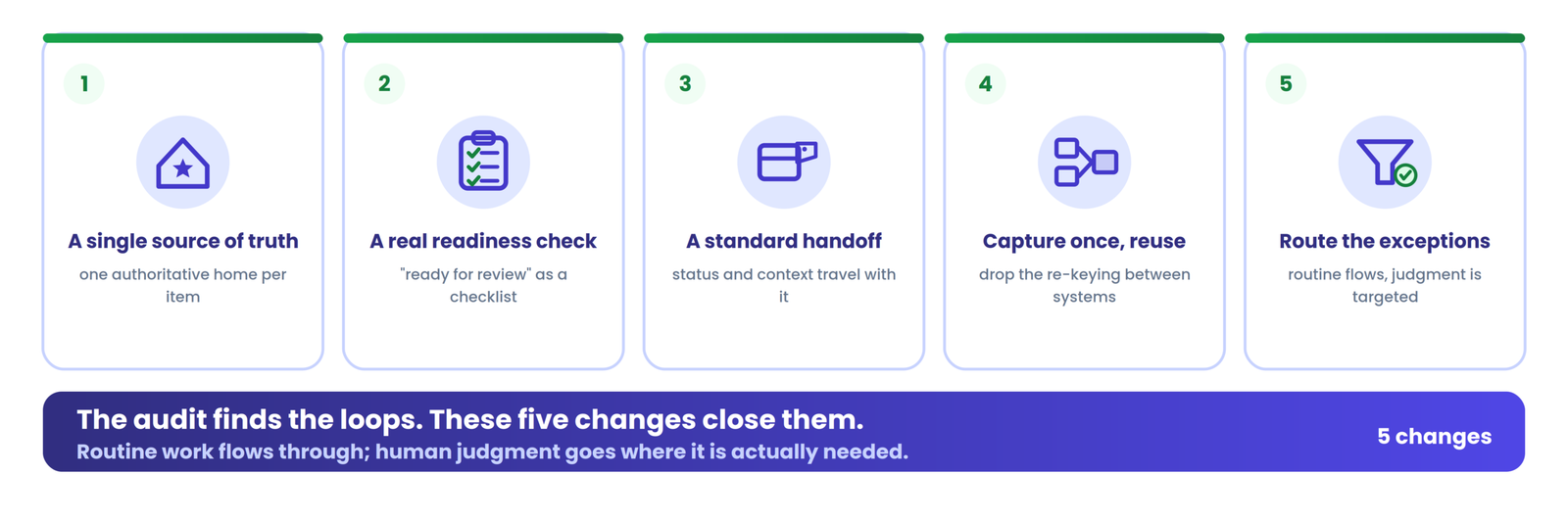
The audit tells you where the loops are. These five changes are what close them.
Create a clear source of truth
Decide where each type of information belongs, and make that the one place people look. Client documents, transaction decisions, review notes, client questions, and workflow status each need a single home. When there is one authoritative location, nobody has to reconcile four versions to establish what is true.
Define what “ready for review” means
Make readiness a concrete checklist rather than a feeling. A file is ready for review when:
- the required information has been received
- reconciliation is complete
- categorization has been reviewed
- unusual items are resolved or clearly flagged
- supporting documentation is available
- any unresolved questions are visible
Do not send files to review hoping the reviewer will find what is missing. That turns a reviewer into an inspector for workflow completeness, which is a different and more expensive job.
Standardize the handoff
Decide what always travels with a file when it moves: status, outstanding items, supporting documents, decisions made, the next action, and the owner. A standard handoff means the receiving person never has to audit the file before working it. For firms building this discipline across a portfolio, standardized workflows across every client are the logical next layer once the loops are gone.
Reduce duplicate entry
Identify the information that should be captured once and reused, rather than re-keyed between systems. Every manual transfer you remove takes a copy-update-mismatch-verify-correct loop with it, along with the transcription error it might have caused, which is one of the simplest ways to reduce bookkeeping errors without slowing the team down.
Track exceptions instead of making everyone repeat the process
Most files are routine. Rather than putting every file through the same heavy review, surface the exceptions, the files that fail a readiness criterion or carry an unresolved question, and route attention there. The routine work flows through, and human judgment goes where it is actually needed.
Don’t automate a broken workflow
Automation can make a good workflow faster. It can also make a bad workflow repeat faster.
If the process today is collect, then manually transfer, then manually verify, then review, then correct, automating one step does not remove the rework. You just reach the same loop sooner. Worse, automation can entrench a broken handoff, because now it runs on its own and nobody questions it.
The order that works is to fix the workflow first, then automate what remains:
Map one workflow, find where work moves backward, redesign the handoff, standardize what travels with the file, and only then automate the steps that are genuinely repetitive. Automation applied to a redesigned workflow compounds the gain. Applied to a broken one, it compounds the loop.
How connected bookkeeping workflows can reduce rework
Process changes come first, but there is a ceiling on what process alone can fix when the underlying systems fragment information by design. A connected workflow environment helps when it can
- centralize the relevant client information
- reduce duplicate data entry
- make work status visible without a separate spreadsheet
- preserve context across handoffs
- connect the bookkeeping, payroll, and review processes
- surface exceptions rather than hide them
- support consistent review
The honest claim is not that integrated software eliminates rework. It is that a connected workflow can remove some of the conditions that create avoidable rework, the fragmentation, the duplicate entry, the missing context, so the process changes you make actually hold.
Where LedgerNext fits
For Canadian firms running bookkeeping, payroll, and client collaboration across many clients, LedgerNext brings those workflows into a centralized environment with shared visibility, audit trails, and role-based access, so client information and file status travel with the work instead of scattering across systems. It is one example of how a connected environment can support the operational principles above; the process discipline still has to come first. You can see how it works against your own portfolio.
Before and after: a bookkeeping rework example
The same monthly file, run two ways. The difference is not effort. It is whether information and readiness travel with the work.
Before: fragmented workflow
The firm did not have a people problem here. It had a workflow loop. Every backward step was created by information or readiness that did not travel with the file.
After: connected workflow
The goal isn’t to remove every human touch. It is to remove the unnecessary ones. The review still happens, and judgment still matters. What disappears are the backward steps that existed only because the file arrived incomplete.
10 signs your firm has a bookkeeping rework problem
If several of these happen regularly, the issue is usually the workflow architecture rather than the team’s competence.
If several of these are routine, do not immediately assume you need more staff. First investigate where the workflow is creating repeat work, because new capacity poured into the same loops is absorbed by them.
Frequently asked questions
What is bookkeeping rework?
Bookkeeping rework is work that has to be repeated because the information, context, ownership, or readiness required at an earlier workflow stage was missing, duplicated, or incorrect. It differs from quality-control corrections, which are expected outcomes of professional review. Rework becomes a problem when the workflow itself keeps generating avoidable loops.
What causes rework in accounting firms?
Five main triggers: duplicate data entry across disconnected systems, scattered client information that forces reconstruction, incomplete handoffs between preparers and reviewers, premature review where files move before they are ready, and manual cross-system checking. Most rework traces back to a workflow-design problem, not an individual-performance one.
How does disconnected software create bookkeeping rework?
When systems do not share information, someone has to move it by hand and hold the current state together manually. That means re-keying data between tools, reconstructing context from several locations, and comparing sources to decide which is correct. Each manual transfer and each reconstruction is a chance for a loop to form.
How can accounting firms reduce duplicate data entry?
Decide where each type of information belongs so there is a single source of truth, capture information once and reuse it rather than re-keying it, and use a connected workflow so systems share data instead of relying on a person to sync them. Redesigning the process comes before automating any single step.
How can firms reduce bookkeeping review cycles?
Define “ready for review” as a concrete checklist: required statements received, reconciliations completed, categorization reviewed, unusual items resolved, supporting documents attached, and open questions flagged. Complete handoffs and visible exceptions do the rest, so reviewers are not acting as inspectors for workflow completeness.
What should be included in a bookkeeping handoff?
A complete handoff carries the current status, the required and supporting information, any unresolved questions, the decisions already made, the next action, and the owner. When those travel with the file, the receiving person can continue the work instead of auditing it first.
Does workflow automation eliminate the need for bookkeeping review?
No. Automation reduces mechanical repetition and can surface exceptions, but it does not replace professional judgment on transaction classification, GST/HST treatment, or unusual items. Firms that want to scale bookkeeping without adding more manual work still need human review at defined control points; automation should make that review easier, not remove it.
Is integrating accounting software enough to eliminate rework?
No. Integration can reduce duplicate entry and information fragmentation, but firms still need clear processes, defined ownership, readiness criteria, and review controls. Software integration solves the data-movement problem; the handoff, readiness, and ownership problems require process design.
Final takeaway
Bookkeeping rework rarely starts at the moment someone discovers an error. It starts earlier, with missing information, a weak handoff, duplicate entry, fragmented systems, or work moving forward before it is ready. That is why working faster or hiring another bookkeeper rarely fixes it; the loops are still there, now with more people feeding them.
The first step is not buying another tool. Map one recurring workflow, find where work moves backward, identify why it happens, and remove the loop. Then establish readiness criteria, standardize the handoff, and centralize information where it is practical. A connected environment such as LedgerNext can support that discipline across a multi-client portfolio, but the process change is what makes the rework actually fall. Find the loop, close it, and measure whether it stays closed.
Give your client work one connected home
LedgerNext centralizes bookkeeping, payroll, and client collaboration for Canadian firms, with shared visibility, audit trails, and role-based access, so context travels with the file and fewer loops form in the first place. See how it fits your portfolio.