Last reviewed: 27 October 2026, against the CRA’s current GIFI guidance (Guide RC4088) and T2 filing requirements. GIFI codes and filing rules change, so confirm the current CRA guidance before relying on any specific code.
Reviewing a corporate client’s financial statement information before T2 preparation is where a firm either catches classification problems or passes them downstream. A trial balance can be perfectly balanced and still carry misclassified accounts, unexplained balances, and amounts that will not survive a reviewer’s or the CRA’s scrutiny.
GIFI (the General Index of Financial Information) is the CRA’s standardized coding system for the financial statement data filed with a corporation’s T2 return. Schedule 100 carries the balance sheet, Schedule 125 carries the income statement, and Schedule 141 carries notes-checklist details about the statements. The useful work is not assigning codes; it is confirming that the balances behind those codes are correctly classified, supported, and ready for the tax preparer. GIFI mapping standardizes the data; it does not, by itself, complete the T2 return.
This article is a review framework for Canadian accounting firms: what to inspect across Schedules 100 and 125, where classifications commonly break down, and how to document the handoff so the T2 preparer is not rebuilding your review. It does not reproduce the CRA’s code directory (Guide RC4088 already does) or walk through tax calculations.
On this page
What Are GIFI Schedule 100 and Schedule 125?
What is GIFI in Canadian accounting?
GIFI is a standardized index the CRA uses to classify the financial statement data submitted with a corporate tax return, so that every balance-sheet and income-statement line maps to a consistent code. It gives the CRA a uniform format for processing and reviewing financial information across all filers, which is why it is filed with the T2 rather than a scanned copy of the statements.
What information does Schedule 100 report?
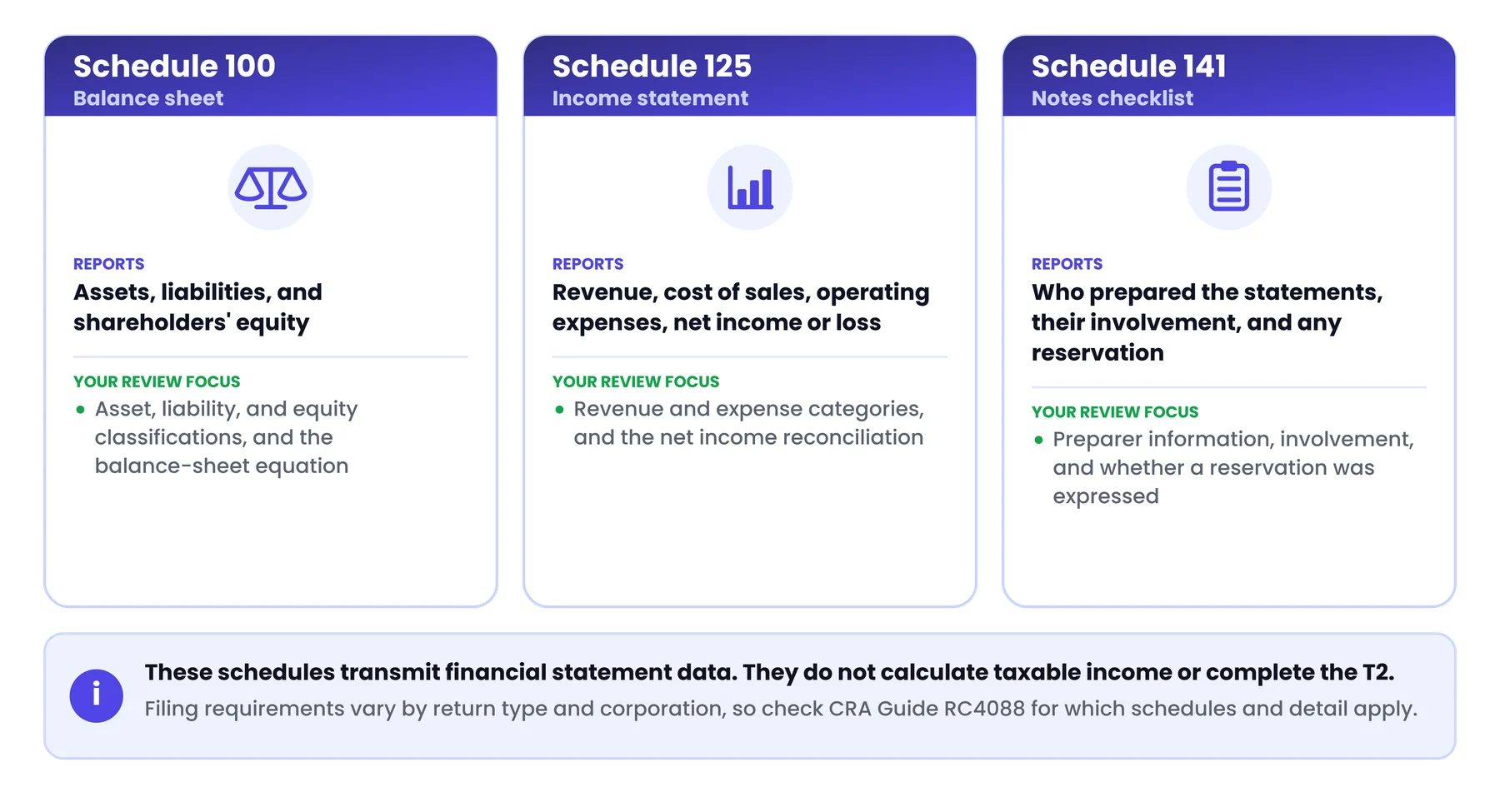
Schedule 100 reports the balance sheet: assets, liabilities, and shareholders’ equity. Balance-sheet items use GIFI codes in roughly the 1000 to 3849 range, with assets, liabilities, and equity in their own bands.
What information does Schedule 125 report?
Schedule 125 reports the income statement: revenue and expenses. Income-statement items use GIFI codes in roughly the 8000 to 9999 range, covering revenue, cost of sales, operating expenses, and the net income or loss.
How does Schedule 141 fit into GIFI reporting?
Schedule 141 is the notes checklist. It collects information about the financial statements themselves, including who prepared them, the nature of their involvement, and whether the preparer expressed a reservation. It is part of the GIFI filing even though it does not carry account balances.
| Schedule | Content | Your review focus |
|---|---|---|
| Schedule 100 | Balance sheet (assets, liabilities, equity) | Asset, liability, and equity classifications; the balance-sheet equation |
| Schedule 125 | Income statement (revenue, expenses) | Revenue and expense categories; net income reconciliation |
| Schedule 141 | Notes checklist about the statements | Preparer information, involvement, and any reservation |
These schedules transmit financial statement data. They do not calculate taxable income, apply tax adjustments, or complete the T2 on their own. Filing requirements vary by return type and corporation; the CRA GIFI guidance (Guide RC4088) specifies which schedules and detail apply.
Before You Start: Prepare the Trial Balance and Chart of Accounts
Mapping GIFI codes onto unreviewed balances is like labelling boxes you have not opened. The review has to start earlier.
Confirm that the bookkeeping records are ready
Confirm that bank reconciliations are complete and that material balance-sheet accounts (receivables, payables, loans, and tax accounts) have been reviewed against supporting records. A file that is not reconciled is not ready to map, whatever its trial balance shows.
Review the chart of accounts and account types
Account names and types are the raw material the mapping depends on, and client charts are inconsistent. Check that each account’s type matches what it actually holds, because a misassigned account type carries straight through to the wrong GIFI band.
Identify unexplained or unusual balances
Watch for suspense balances that were never reclassified, expense accounts labelled “Misc” that hold several unrelated categories, shareholder amounts with vague descriptions, and any account whose balance does not match its expected classification. These do not all need to be zero; they need to be understood and supported before anything is exported.
Gather supporting schedules and working papers
Pull the supporting schedules the balances rely on: capital asset continuity, loan statements, payroll remittance records, and reconciliations for the major accounts. Having them in hand turns a classification question into a quick confirmation rather than an investigation mid-review.
How to Review GIFI Schedule 100: Balance-Sheet Information
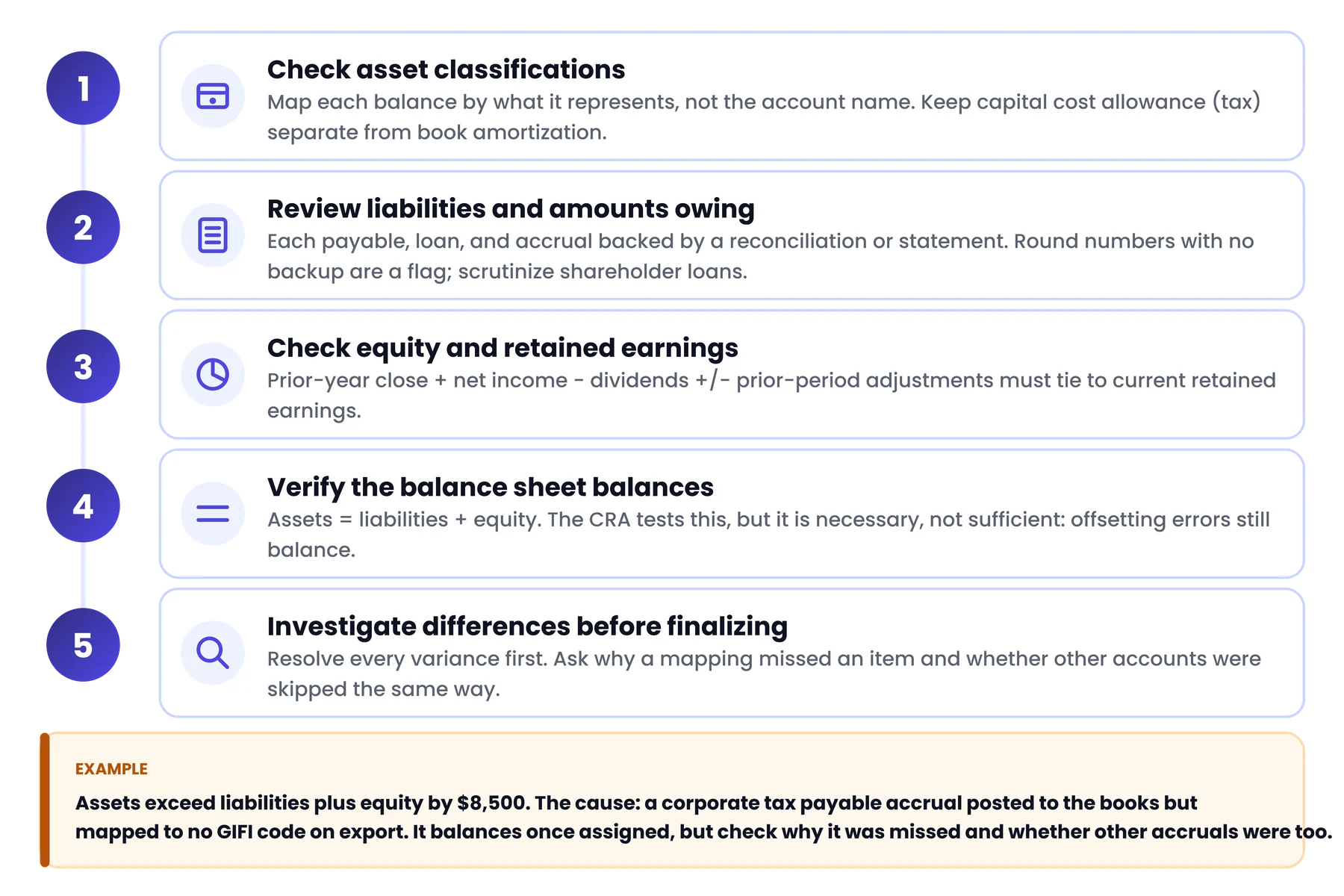
Check asset classifications
Walk through cash, receivables, inventory, prepaids, tangible capital assets, intangible assets, and accumulated amortization. The correct GIFI item depends on what the balance represents, not what the account is named: an “Equipment” account that nets cost against accumulated amortization maps differently from one that tracks the two separately. Keep in mind that capital cost allowance is a tax concept and book amortization is a financial-statement concept; confusing the two is a common classification error.
Review liabilities and amounts owing
Accounts payable, accrued liabilities, taxes payable, loans, and credit facilities should each be supported by a reconciliation, a statement, or an appropriate record. A round-number liability with no backup is a review flag, not a classification question. Shareholder loans deserve particular scrutiny: a debit balance can create presentation issues on Schedule 100 and tax consequences beyond GIFI reporting, so if the direction or nature is unclear, flag it for the T2 preparer rather than guessing.
Check shareholders’ equity and retained earnings
Retained earnings continuity is the check most likely to surface a buried problem. Compare the prior-year closing balance to the current opening balance, add net income, subtract dividends, and account for any prior-period adjustments. If the result does not match the current retained earnings figure, something moved that was not documented, even if the schedule still balances.
Verify that the balance sheet balances
Total assets must equal total liabilities plus total shareholders’ equity, and the CRA runs this as a validity check. Passing it proves less than people assume: two offsetting misclassifications (a liability coded as equity, and an asset omitted by the same amount) still produce a balanced schedule. The equation is necessary, not sufficient.
Investigate differences before finalizing the information
Example: a reviewer exports Schedule 100 and finds assets exceed liabilities plus equity by $8,500. Tracing it back to the trial balance shows a corporate tax payable accrual that was posted to the books but mapped to no GIFI code during export. The schedule balances once the liability is assigned, but the real questions are why the mapping missed it and whether other accruals were skipped the same way.
How to Review GIFI Schedule 125: Income-Statement Information
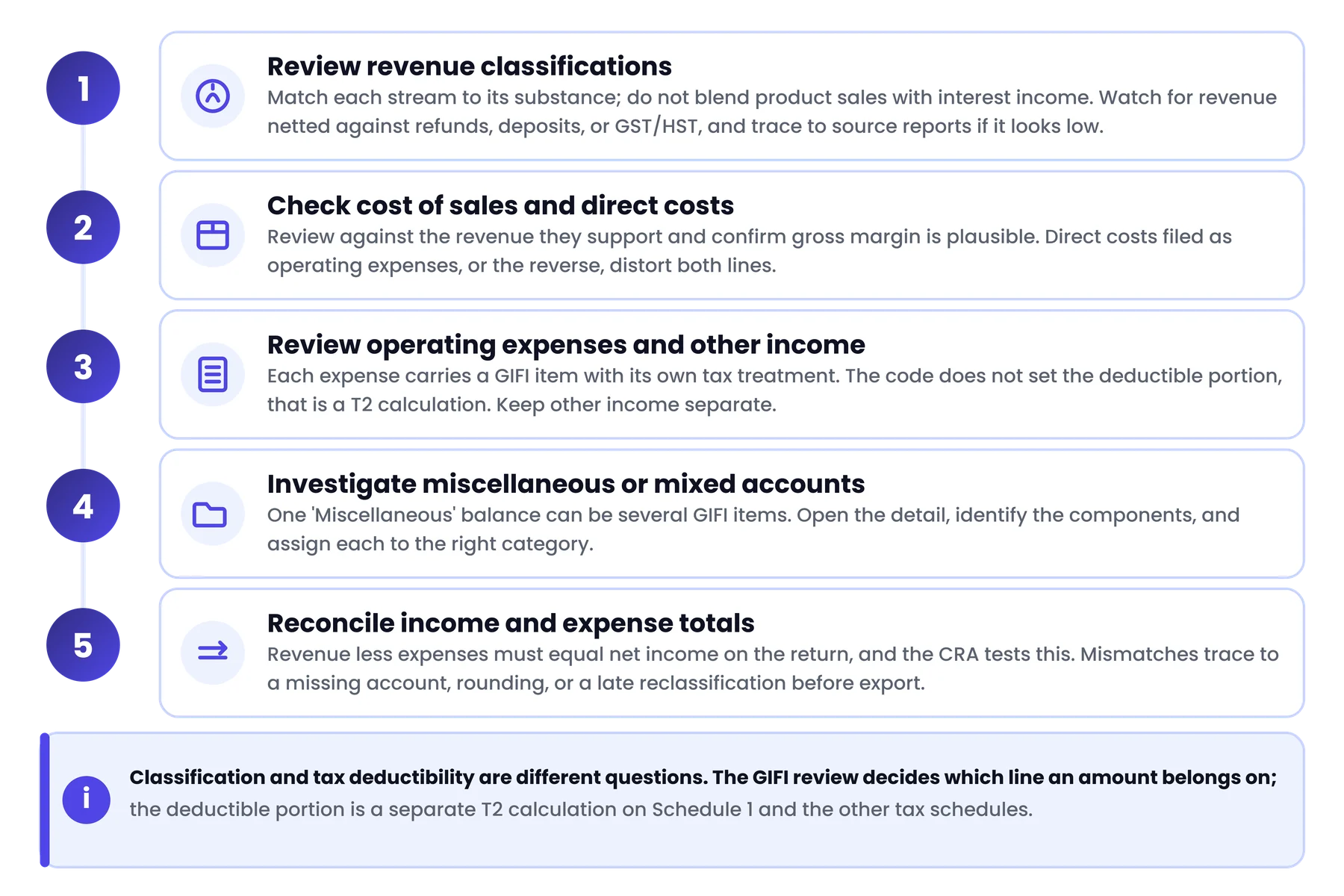
Review revenue classifications
Match revenue to its economic substance. Sales, investment income, rental revenue, and other categories each have distinct GIFI items, and a single “Revenue” account that blends product sales with interest income will misstate both lines. Revenue can also be understated when sales are netted against refunds, deposits, or GST/HST within the same account, so trace revenue from source reports or subledgers if the figure looks low against prior years or known activity.
Check cost of sales and direct costs
Review cost of sales and direct costs against the revenue they support, and confirm the gross margin is plausible for the business. Costs posted to operating expenses that are really direct costs, or vice versa, distort both the gross-profit line and the expense categories.
Review operating expenses and other income
Operating expenses (purchases, advertising, meals and entertainment, professional fees, rent, salaries, interest, vehicle costs) each carry a GIFI item, and each has tax-treatment considerations that are separate from the financial-statement classification. Mapping meals and entertainment to the right GIFI code does not determine the deductible portion; that is a T2 calculation. Review other income separately so one-off or non-operating items are not buried in operating results.
Investigate miscellaneous or mixed expense accounts
A “Miscellaneous Expenses” account holding office supplies, courier charges, small equipment, and a client gift is one balance but several GIFI items. Open the transaction detail, identify the components, and assign each to the most appropriate category. It is tedious work, and it is exactly what separates a clean filing from one that draws questions.
Reconcile income and expense totals
Total revenue less total expenses should equal the net income carried to the return, and the CRA’s validity checks test this. When it does not reconcile, the usual causes are a missing account in the export, a rounding adjustment, or a balance reclassified after the income statement was finalized but before the GIFI export was generated.
Financial-statement classification and tax deductibility are different questions. The GIFI review decides which line an amount belongs on; the deductible portion is a separate T2 calculation on Schedule 1 and the other tax schedules.
How to Map General Ledger Accounts to GIFI Codes
Start with the purpose of each account
Start with what the account actually contains, not its name. An account called “Consulting” could be revenue for a consulting firm or a professional-fees expense for a client that hired consultants; the transactions decide.
Match the account to the appropriate GIFI description
Where the CRA’s GIFI list includes an exact match, use it. Match on the CRA’s description, not the bookkeeping label, and do not invent a more precise code than the official list offers.
Handle accounts without an obvious one-to-one match
Where there is no exact match, Guide RC4088 provides guidance on selecting the most appropriate generic item. Do not assume a single code is always correct for a given account name across different clients, since the same label can mean different things in different files.
Document non-obvious mapping decisions
Record the reasoning behind non-obvious mappings. A working paper showing which ledger accounts feed each GIFI line, and why, saves hours when next year’s reviewer, or a CRA reviewer, asks questions.
Retain supporting detail for the tax preparer
Keep the ledger-to-GIFI crosswalk and the supporting detail with the file, so the T2 preparer can trace each line rather than reconstructing the mapping.
| Bookkeeping account | Review question | Next action |
|---|---|---|
| Miscellaneous expenses | What types of spending are combined here? | Inspect the detail before selecting a category |
| Due from shareholder | Advance, loan, or something else? | Confirm the transactions and classification |
| Prepaid expenses | Does this represent a future-period benefit? | Verify the supporting schedule |
| Equipment | Net or gross of accumulated amortization? | Check the ledger and asset records |
This table is illustrative, not a definitive GIFI mapping reference. Verify any specific code against the current CRA guidance.
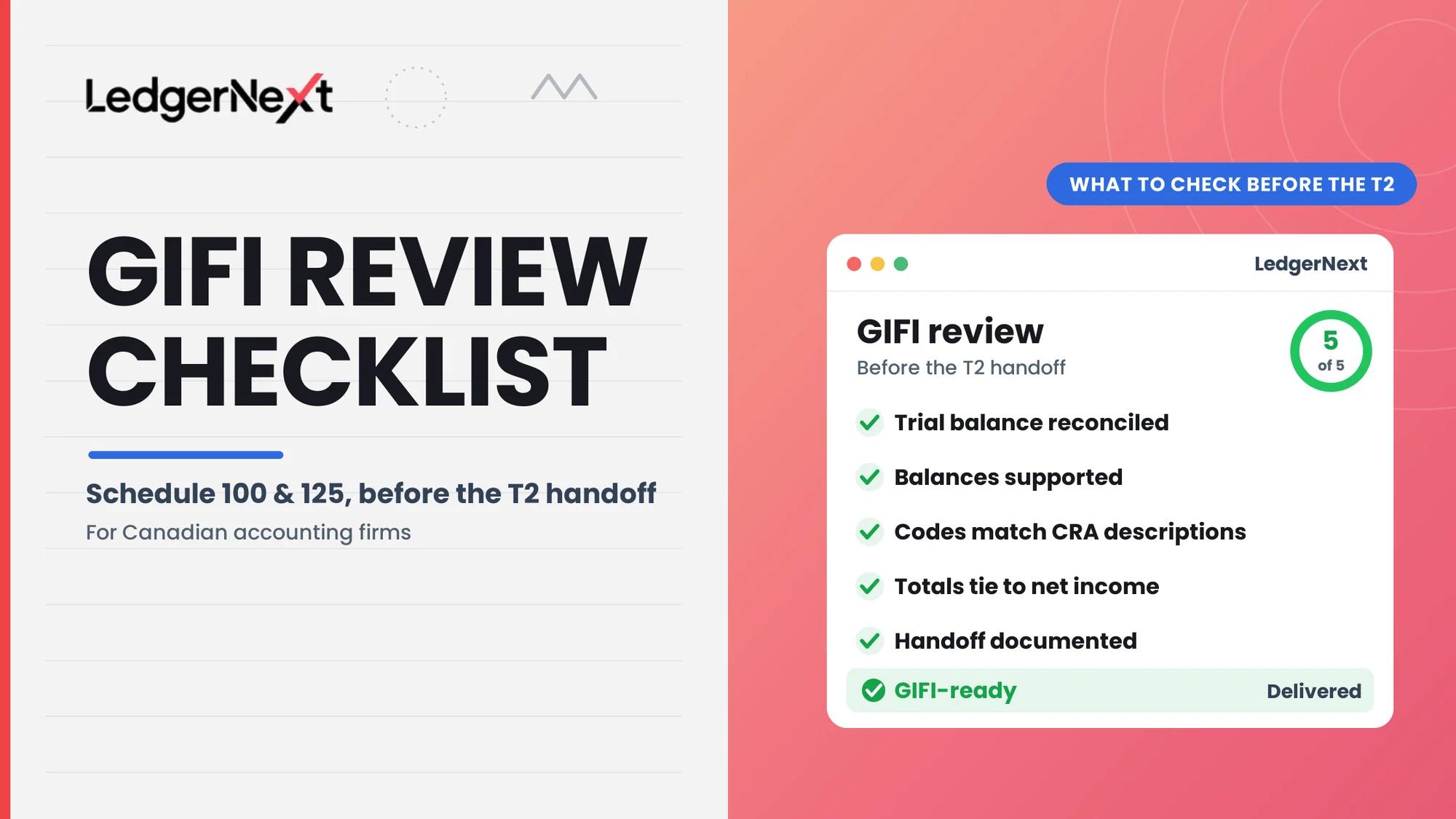
GIFI Review Checklist Before T2 Preparation
Schedule 100 review checklist
- Cash and bank balances agree with reviewed records.
- Receivables and material assets are supported.
- Inventory and capital assets are classified appropriately.
- Accumulated amortization has been reviewed.
- Payables, accruals, and taxes payable are supported.
- Shareholder-related balances have been investigated.
- Equity and retained earnings continuity confirmed.
- Balance-sheet totals pass the CRA validity check.
Schedule 125 review checklist
- Revenue categories supported by underlying records.
- Cost of sales and operating expenses reviewed.
- Mixed or miscellaneous accounts investigated.
- Unusual one-off transactions reviewed.
- Income-statement totals agree with final records.
- CRA validity checks completed.
Final documentation and tax-preparer handoff
- Final trial balance clearly identified and dated.
- Adjustments documented.
- Non-obvious classifications explained.
- Outstanding questions assigned to an owner.
- Reviewer sign-off recorded.
- T2 preparer has the financial information and working papers.
This is a firm-level quality-control aid. It does not replace the CRA’s complete reporting requirements.
Common GIFI Mapping and Review Mistakes
| Mistake | Why it matters | Preventive check |
|---|---|---|
| Choosing a code by account name alone | Substance may differ from the label | Review the transaction detail |
| Leaving unexplained balances in miscellaneous accounts | Unresolved items create classification risk | Require investigation before export |
| Assuming a balanced trial balance means correct mapping | Offsetting errors hide classification problems | Test individual line items |
| Confusing GIFI classification with tax deductibility | Financial classification and tax treatment are distinct | Separate the GIFI review from the Schedule 1 adjustments |
| Failing to document mapping decisions | Reviewers cannot verify the mapping | Retain the ledger-to-GIFI crosswalk |
| Assuming GIFI-ready information means the T2 is complete | Additional schedules and adjustments remain | Confirm all filing requirements separately |
How Accounting Firms Can Standardize GIFI Reviews Across Clients
Maintain a consistent account-mapping reference
Keep a documented mapping reference per client, so the same accounts map the same way each year, and revisit it when the client’s chart of accounts or business activities change. Last year’s template is only valid if last year’s business is the same.
Use a standard review checklist
Run every file through the same Schedule 100 and Schedule 125 checklist, so quality does not depend on who happens to be reviewing.
Assign preparation and review responsibilities
Separate the preparer and the reviewer, and record who did each, so a second set of eyes sees the classifications before the handoff.
Track exceptions and retain supporting documents
Track unresolved items to an owner and a due date, and keep the supporting documents with the file. Tooling helps here: LedgerNext is a Canadian bookkeeping and payroll platform that produces reconciled, categorized financial data and exports it, GIFI-ready, to professional tax software. It prepares the data for the handoff; it does not complete the GIFI schedules or file the T2, so the review steps above still apply.
Frequently Asked Questions About GIFI
What does GIFI stand for in Canada?
GIFI is the General Index of Financial Information, the CRA’s standardized coding system for the financial statement data filed with a corporation’s T2 return. Every balance-sheet and income-statement line maps to a GIFI code so the CRA can process the information in a consistent format.
What is the difference between Schedule 100 and Schedule 125?
Schedule 100 reports balance-sheet information (assets, liabilities, and equity), and Schedule 125 reports income-statement information (revenue and expenses). They cover different financial statements and use different GIFI code ranges.
Is GIFI required for a Canadian T2 return?
Corporations filing a T2 are generally required to report their financial statement information using GIFI. Limited exceptions exist for certain corporations, so check the CRA’s current GIFI guidance and the T2 guide for the rules that apply to your client.
How do you choose the correct GIFI code?
Match the economic substance of the financial statement item to the most appropriate CRA description in Guide RC4088. Account labels help, but the underlying transactions and balance characteristics determine the correct code.
Does GIFI mapping complete a corporate tax return?
No. GIFI standardizes the financial statement data for the CRA. A complete T2 involves additional schedules, tax adjustments, and compliance steps beyond what Schedules 100, 125, and 141 contain.
Can bookkeeping software export GIFI-ready information?
Some platforms map accounts to GIFI codes and export GIFI-ready data to tax software; others produce a trial balance that still needs mapping in the tax program. Confirm what your platform actually exports and what the T2 preparer still has to review or complete.
Conclusion
A reliable GIFI handoff rests on three things: accounts mapped to their economic substance rather than their names, balances that are supported and reconciled, and a documented review the next person can follow. Keep the GIFI reporting distinct from the corporate tax work: the review decides where amounts belong on Schedules 100 and 125, while taxable income, adjustments, and the rest of the T2 are a separate stage.
The most useful change most firms can make is to run every file through the same review and the same mapping reference, season after season, so the same errors stop reappearing and the T2 preparer always starts from financial statements they can trust.
Hand off cleaner financial data to your tax team
LedgerNext gives Canadian firms reconciled, categorized books with GIFI-ready export to professional tax software, so the year-end package reaches your T2 preparer with less manual cleanup.