The payroll register looks clean. Totals balance. The software says year-end is ready to process. Then you pull the employee master file and find an address from 2019, a SIN that fails validation, an automobile benefit the client mentioned in September but never confirmed, and three contractor payments sitting in a general expense account that nobody assessed for T4A reporting.
None of these problems are dramatic on their own. Together, they stall your entire filing cycle across a dozen client files while your team chases approvals that should have been collected weeks ago.
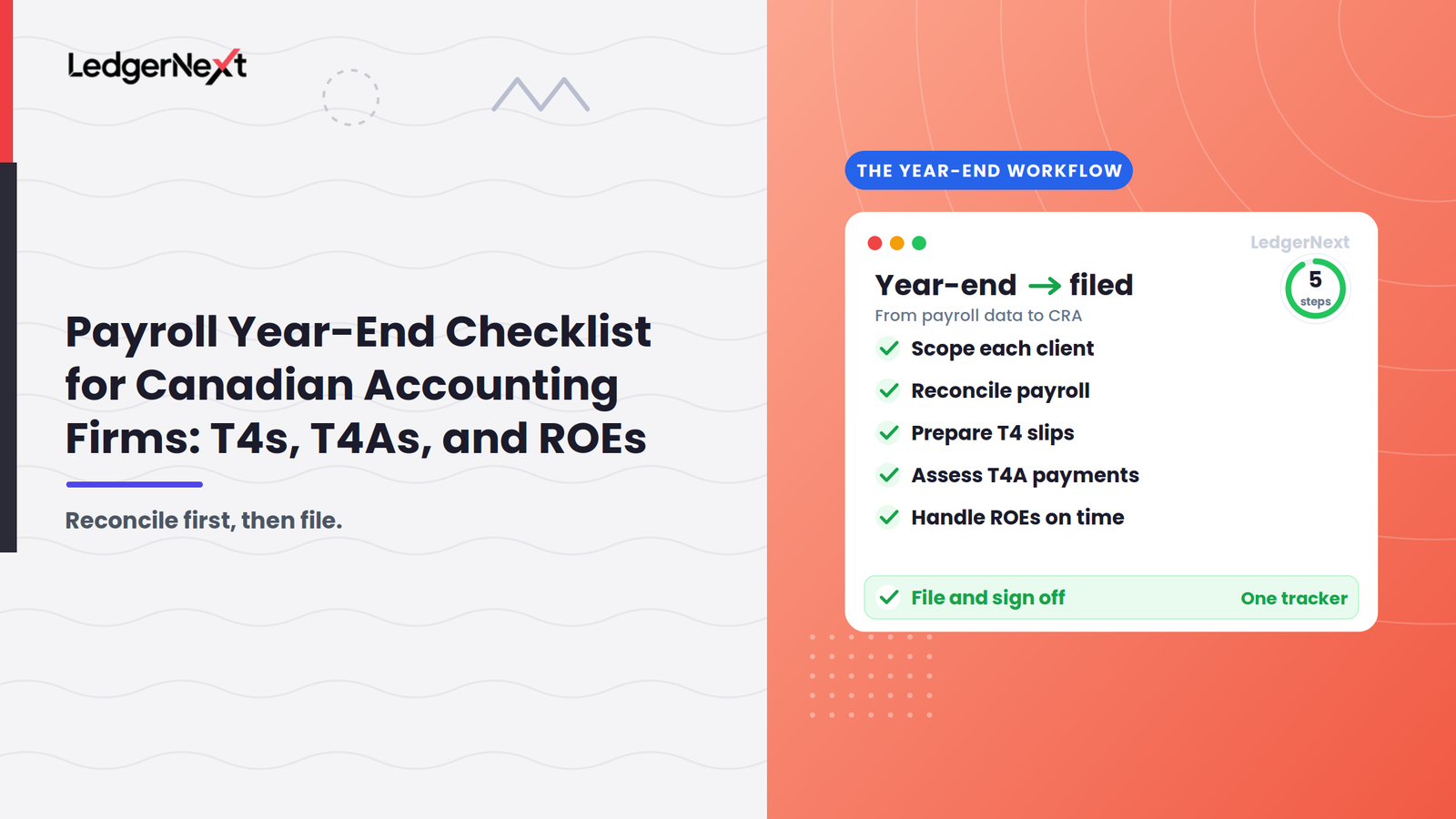
Firms managing payroll for multiple business clients need more than a slip-generation button. They need a controlled sequence: scope each client, reconcile the records, validate the slips, assess T4A obligations separately, confirm that outstanding Records of Employment (ROE) have been handled on their own timeline, file, distribute, and document the sign-off. That sequence is what this payroll year-end checklist for Canadian accounting firms covers.
Payroll year-end for a multi-client firm is a validation and reconciliation process, not a slip-printing exercise. For each client you scope the reporting requirements, reconcile payroll against the general ledger and CRA remittances, review and prepare T4 slips, assess separately whether any payments need a T4A, handle outstanding ROEs on their own interruption-of-earnings deadline, file and distribute by the applicable date, then document corrections and final sign-off. Not every client needs a T4A or has an open ROE, so the checklist supports a “not applicable” status.
Payroll year-end checklist at a glance
| Stage | What to check | Evidence to retain |
|---|---|---|
| Client setup | Payroll accounts, contacts, responsibilities | Client payroll profile |
| Payroll records | Registers, employee details, pay types | Final payroll reports |
| Reconciliation | Payroll totals vs. GL and remittances | Reconciliation workpaper |
| T4 preparation | Employment income, deductions, benefits | T4 review report |
| T4A assessment | Payment types requiring T4A reporting | Payment review and reasoning |
| ROE review | Outstanding ROEs from interruptions of earnings | ROE status log |
| Filing and delivery | Submissions, distribution, confirmations | Filing confirmations |
| Final review | Exceptions resolved, client sign-off obtained | Completed checklist |
This is a firm-level workflow template. It does not replace the obligation to determine each client’s actual reporting requirements under Canada Revenue Agency (CRA) and Service Canada rules.
Who this applies to (and who it doesn’t)
This process is built for Canadian accounting firms, CPA practices, and outsourced bookkeeping operations that prepare payroll information returns for multiple business clients. If you manage a single in-house payroll with five employees, you can still use the reconciliation logic, but the multi-client tracking and exception-management layers will not apply, and you would be better served by the CRA’s own Employers’ Guide for filing T4 slips and summaries.
If you are looking for a standalone comparison of the key differences between T4 and T4A slips rather than the full year-end workflow, that distinction is worth a dedicated read on its own. This article keeps T4s, T4As, and ROEs inside the firm’s multi-client process.
Scoping: the step most firms skip
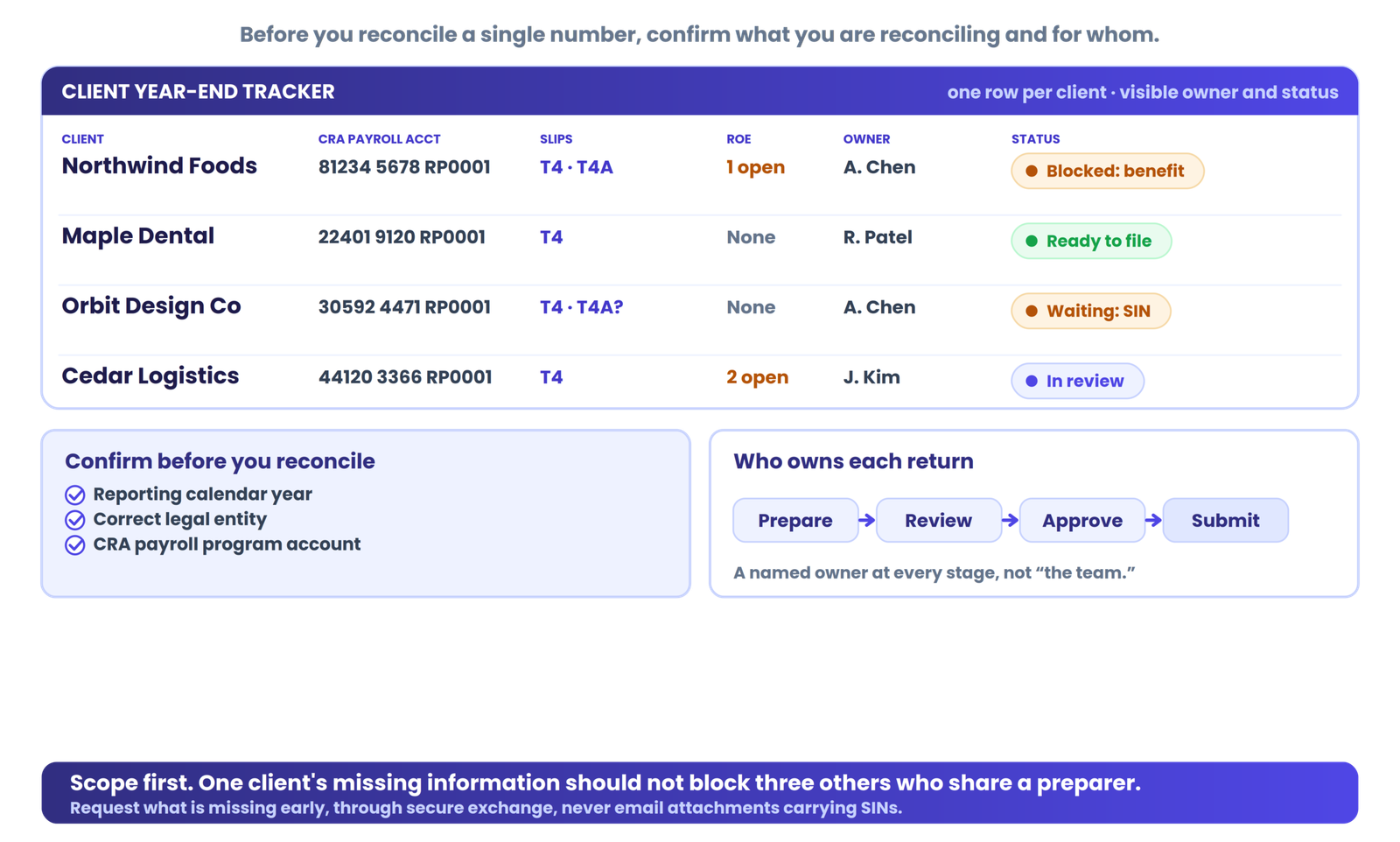
The instinct is to start reconciling numbers. The actual first step is confirming what you are reconciling and for whom.
For every payroll client, verify the calendar year being reported, the correct legal entity, and the CRA payroll program account number. Some clients operate multiple payroll accounts or have separate reporting requirements for different divisions. Missing this creates duplicate filings or orphaned slips that surface as CRA discrepancies months later.
Record who is responsible for preparing, reviewing, approving, and submitting each client’s returns. A single firm-wide deadline of “get everything filed by February 20” collapses the moment one client’s missing information blocks three others sharing the same preparer.
The client tracker that actually matters
Track these fields per client: legal entity name, payroll account identifier, number of employees and other recipients, payroll software or source system, outstanding employee information requests, T4 and T4A applicability, any ROEs still unresolved, assigned preparer and reviewer, target completion date, and final status. For firms coordinating multi-client payroll management, a centralized tracker with visible ownership and status prevents the version-control chaos that spreadsheets inevitably create.
Request missing information early. Changes to employee names, addresses, SINs, province of employment, taxable benefits, termination details, and bonus confirmations all affect the slips. Collect this through secure document exchange, not unencrypted email attachments containing social insurance numbers.
Reconciliation: the constraint everything else depends on
Slips generated from unreconciled payroll data are just formatted guesses. The mechanism here is straightforward: the payroll register, the general ledger, and the CRA remittance records should tell the same story. When they do not, one of them is wrong, and you need to find which one before filing.
Compare gross employment income, employee and employer Canada Pension Plan (CPP) contributions, Employment Insurance (EI) premiums, income tax withheld, taxable benefits, vacation pay, bonuses, commissions, and termination amounts. The precise accounts depend on the client’s chart of accounts and payroll setup, which is why a single reconciliation template rarely works without modification. A detailed walkthrough of payroll-to-general-ledger reconciliation for Canadian firms covers the mechanics; this section stays focused on the checks required before year-end slips are finalized.
Remittances tell a different truth than payroll totals
Matching a remittance total to the payroll register total does not prove that every employee’s individual slip is correct. CRA identifies discrepancies between deductions reported on information returns and amounts actually remitted as a common payroll examination issue. Tie payroll totals to PD7A statements, investigate timing differences, and look at manual journals that may have adjusted a liability account without touching the payroll module.
The exceptions that delay everything
These are the ones that show up in practitioner forums but rarely appear in official guides.
| Problem | The likely cause | Where to verify |
|---|---|---|
| T4 total does not match the payroll register | A manual year-end adjustment was posted to the ledger but never exported to the information-return file | Export the register by pay date and by accounting period; compare the exception list, not just the grand total |
| T4 Summary disagrees with the sum of slips | A slip was deleted, duplicated, or manually edited outside the payroll module | Rebuild the slip population from the final payroll master; compare employee IDs rather than names |
| CPP or EI variance on one employee | Wrong province setting, retroactive pay run, or annual maximum applied incorrectly | Review the first and last payroll of the year plus every off-cycle run for that employee |
| Taxable benefit in the ledger but missing from the T4 | Benefit was recorded as a journal entry, never entered through payroll | Confirm whether it should have been processed through payroll; if so, correct the source record before generating slips |
One timing rule underlies many of these. The CRA’s general rule is that T4 employment income is reported in the calendar year in which it was paid, not the period in which it was earned. A payment processed on January 2 for December work belongs on the following year’s T4. The CRA Employers Guide to filing the T4 slip and summary addresses this timing rule directly. Document every difference, investigate its cause, correct the underlying record where necessary, and retain evidence of the review.
T4 preparation: what the review actually looks like
T4 slips report employment income along with CPP or QPP contributions, EI premiums, income tax deducted, taxable benefits, and other required information specific to the employee’s circumstances. Not every box applies to every employee, and the CRA’s reporting rules include thresholds and exceptions that affect who requires a T4.
The review should flag employees who joined or left during the year, anyone who received bonuses, commissions, or termination payments, employees who worked in more than one province, and any payments that cross the December-to-January boundary. Where the reporting treatment depends on the specific payment or circumstance, consult the applicable section of the CRA’s T4 filing guide rather than defaulting to an assumption.
Before sending slips for client approval, compare the T4 Summary totals with the final payroll reports and the reconciled ledger balances. An unresolved difference should never be resolved by adjusting a slip total to force a match. That just buries the error.
T4A: the reporting obligation that depends on the payment, not the recipient
A T4 reports employment income. A T4A covers specified types of payments under CRA rules: certain fees for services, pension income, retirement allowances, annuities, and other categories outlined in the CRA guide to filing the T4A slip and summary. Not every contractor payment automatically requires a T4A. The reporting obligation depends on the nature of the payment and the applicable CRA rules for that payment category.
| Review point | T4 | T4A |
|---|---|---|
| Purpose | Employment income reporting | Specified payment categories under CRA rules |
| Typical recipients | Employees | Varies: contractors (for certain fees), pensioners, others |
| Review focus | Payroll register, deductions, benefits | Payment type, CRA reporting category, recipient details |
| Reporting decision | Apply the relevant employment-income rules | Confirm whether the specific payment is reportable |
For each payment you are assessing, identify whether it falls within a T4A reporting category, review the nature of the service, check the CRA guidance for exceptions, verify the recipient’s information, and retain the supporting records and your reasoning. This is not the place to conduct a full employee-versus-contractor determination; that is a separate analysis with its own CRA criteria.
ROEs operate on a completely different clock
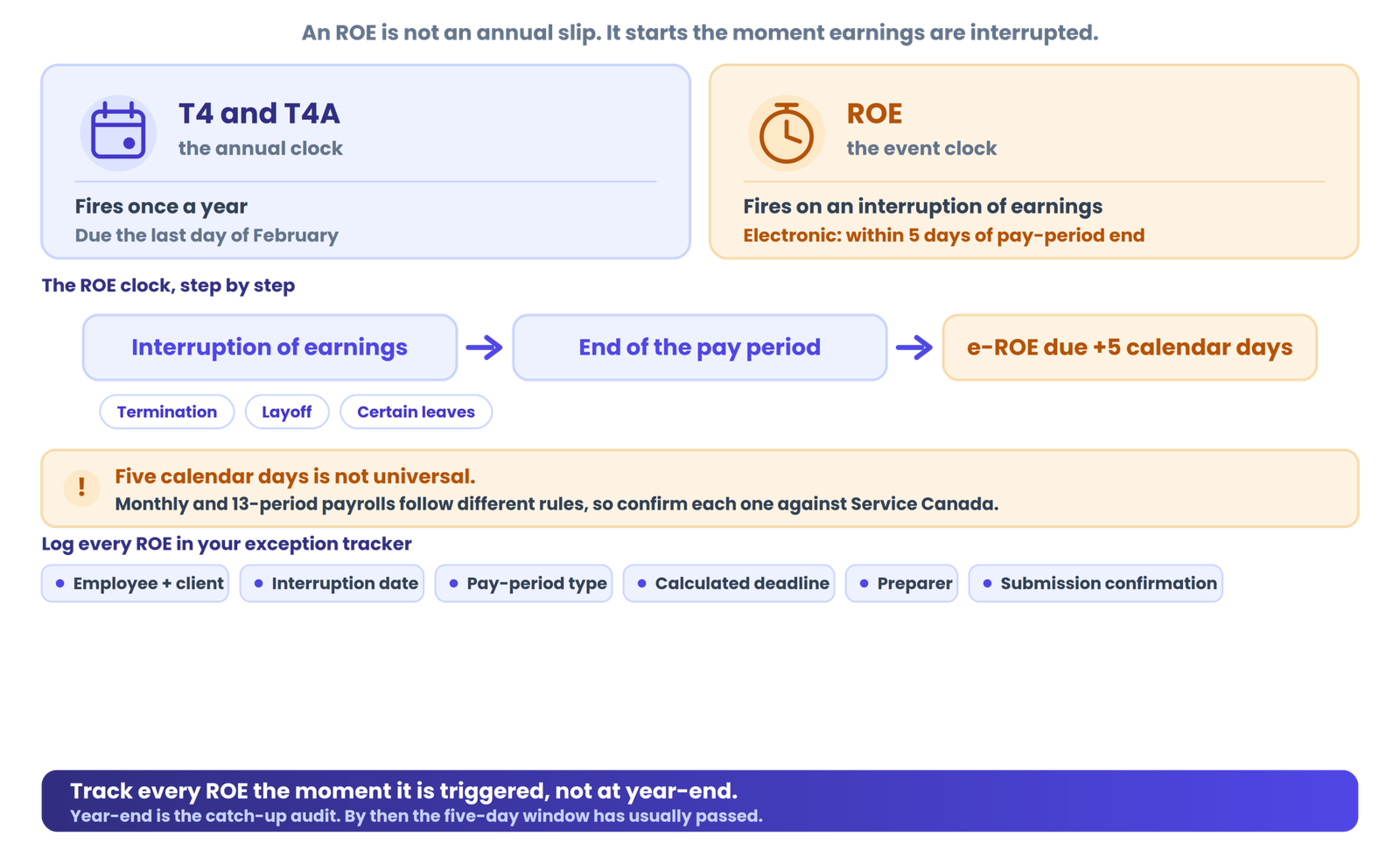
This is the misconception that causes the most operational problems: a Record of Employment is not an annual slip. Employers issue an ROE when an employee experiences an interruption of earnings, which can include a termination, layoff, or certain leaves. The trigger is the interruption, not the calendar year-end.
Service Canada generally requires electronic ROE submission within five calendar days after the end of the pay period in which the interruption occurs, for weekly, biweekly, and semi-monthly payrolls. Monthly and 13-period payrolls follow different rules, so do not treat five calendar days as universal. Service Canada guidance on completing the Record of Employment is the authoritative source for the precise criteria and deadlines.
Where practitioners disagree
There is an active debate among payroll administrators about whether year-end is the right time to audit ROE compliance or whether it should be a continuous control. Some practitioners batch their ROE review annually because that is when they are already inside the payroll records. Others argue that batching guarantees late ROEs, since the five-day electronic deadline has usually long passed by the time year-end review happens. The stronger position is the continuous-control side: ROEs should be tracked as they are triggered, with year-end serving only as a catch-up audit for anything that slipped through. That said, many small firms simply do not have the staffing for real-time tracking, so year-end becomes the safety net.
Add every ROE to your firm’s exception tracker: employee and client, interruption date, pay-period type, calculated deadline, preparer, submission confirmation, and any unresolved correction.
Filing, distribution, and the responsibility question
T4 and T4A information returns are generally due by the last day of February following the calendar year. When that date falls on a weekend or CRA-recognized public holiday, the next-business-day rule applies. Verify the exact date for the 2026 tax year against the CRA’s published 2027 deadline calendar before committing to a specific date in your client communications. Payroll remittance deadlines and their penalty framework sit on a separate schedule and are worth tracking distinctly from the information-return deadlines.
The CRA requires electronic filing when more than five information returns of the same type are filed. The threshold applies per information-return type and filing context, not to the total number of slips across your entire client portfolio.
Distribute slips to employees and recipients by the applicable deadline using permitted methods. Email delivery carries consent requirements under CRA guidance, so do not send slips containing SINs through unprotected email.
Engaging a payroll service provider to submit slips does not automatically transfer the employer’s responsibility for accuracy, amounts owing, or timely filing. Where your firm acts as the service provider, document the agreed scope and the client’s approval obligations explicitly.
Handling errors after filing
The CRA provides procedures for amended, additional, cancelled, and replaced slips. An amended slip corrects specific information on a previously filed slip. A cancelled slip removes a slip that should not have existed. These are distinct actions with different procedural requirements, and the CRA’s current T4 and T4A filing guides describe each one, so do not improvise a correction method.
For every post-filing correction, record the error, the affected client and recipient, the root cause, the corrective action taken, the responsible person, the submission date, and the confirmation. If the same error appears across multiple clients, that is a process weakness worth addressing before next year’s cycle.
Common mistakes and the controls that prevent them
| Mistake | Why it matters | Preventive control |
|---|---|---|
| Generating slips before reconciling payroll | Slips may carry errors baked into unreconciled data | Complete the reconciliation workpaper before slip generation |
| Treating T4A as automatic for every contractor | Over-reporting or mis-categorizing payments | Assess each payment against CRA’s T4A categories |
| Treating ROEs as an annual filing | Late ROEs, since the deadline is tied to the interruption | Track ROEs continuously with an exception log |
| Using one deadline for all obligations | ROE deadlines differ from T4 and T4A deadlines | Maintain separate deadline tracking by obligation type |
| Missing taxable benefits | Understated T4 amounts | Request benefit confirmations before year-end |
| No client approval tracking | Filing without authorization | Require documented sign-off before submission |
Several of these overlap with the broader set of common payroll mistakes that lead to CRA penalties, which is worth reviewing as its own topic once the year-end cycle is behind you.
Final payroll year-end sign-off checklist
Run each client file through this before you file. Where a client does not require a particular slip or filing, mark the item “not applicable” rather than leaving it blank, so the record shows the decision was made.
Making the process repeatable
Standardize the checklist while preserving client-specific reporting requirements. Use one tracker for ownership, status, deadlines, and exceptions across all clients. Separate preparation from review on higher-risk files. Reconcile before generating slips. Retain filing confirmations and workpapers. After year-end, review recurring errors and update the process, because the error that repeats across clients is a process weakness, not an individual slip problem.
Centralize your multi-client year-end workflow
If tracking client status, document collection, and team assignments across spreadsheets is creating more problems than it solves, LedgerNext’s centralized client workspaces, permissions, and progress tracking give your firm visible ownership without the version-control headaches.
Frequently asked questions
When are T4 slips due in Canada?
T4 information returns are generally due by the last day of February following the calendar year to which they relate. When that date falls on a Saturday, Sunday, or CRA-recognized public holiday, the deadline moves to the next business day. Verify the specific year’s filing date against the CRA’s published calendar, since the date shifts depending on how February ends.
Are T4 and T4A slips due on the same date?
The general filing deadline framework is the same, the last day of February following the reporting year, subject to the next-business-day rule. What differs is the reporting criteria: a T4 reports employment income, while a T4A reports only specified payment categories, so a payment can be due on the same date but assessed under entirely different rules.
Does every contractor need a T4A?
No. The T4A reporting requirement depends on the nature and category of the payment, not simply on the recipient being a contractor. The CRA’s T4A filing guide identifies the specific payment types that require reporting, so assess each payment individually rather than issuing a slip for every supplier.
Are Records of Employment issued only at year-end?
No. An ROE is triggered by an interruption of earnings, such as a termination, layoff, or qualifying leave, and the submission deadline depends on the pay-period type and the timing of the interruption. Year-end is an appropriate time to audit for missed ROEs, but it is not the trigger for issuing them.
What should an accounting firm reconcile before preparing T4s?
Payroll registers against the general ledger and against CRA remittance records, covering gross employment income, CPP and EI, income tax withheld, taxable benefits, and termination amounts, plus the related liability and expense accounts. Matching a remittance total alone does not prove each individual slip is correct.
What should a firm do if it discovers a T4 error after filing?
Follow the CRA’s current procedures for amended, additional, cancelled, or replaced slips rather than improvising a correction. Record the error, the affected client and recipient, the cause, the corrective action, the responsible person, and the confirmation, and check whether the same error affects other client files.
Who is responsible when a payroll service provider files the slips?
Outsourcing the submission does not transfer the employer’s underlying responsibilities for the accuracy of reported information, amounts owing, or timely filing. The firm’s contractual role and the client’s approval obligations should be documented separately from the filing itself. A bookkeeping quality control checklist helps formalize the review and sign-off.
What makes it a system, not a checklist
Payroll year-end is a validation and reconciliation process, not a slip-printing exercise. The firms that finish cleanly are the ones that scope each client before touching the numbers, reconcile before generating slips, assess T4A obligations based on actual payment types rather than assumptions, and track ROEs on their own timeline rather than bundling them with annual returns.
Keep three priorities front of mind: reconcile payroll before approving slips, assess T4A reporting on the actual payments, and manage ROEs according to their own triggers and deadlines. Then build a post-filing review into your process, what broke, what was late, what information should have been collected earlier. That review is what turns a checklist into a system. Verify every compliance-sensitive date against current CRA and Service Canada guidance before you file.