
It’s 4:30 PM on the last business day of the month. One client still hasn’t sent their bank statements. Another needs payroll adjustments posted before you can touch their financials. A third has uncategorized transactions piling up since the second week. Your team is toggling between chasing documents, reconciling accounts, reviewing reports, and fielding client emails — all at once.
Sound familiar?
Here’s what I’ve seen over and over: month-end doesn’t feel chaotic because accounting is hard. It feels chaotic because the workflows feeding into it aren’t standardized. The reconciliation itself? That’s the straightforward part. The mess starts much earlier — during document collection, transaction categorization, and payroll coordination.
Reader promise: By the end of this guide, you’ll have a repeatable, stage-by-stage closing process that reduces your close time, eliminates recurring bottlenecks, and scales across every client in your firm.
What Is a Month-End Close Checklist for Accounting Firms?
A month-end close checklist is a structured workflow that accounting firms follow to finalize client financial records at the end of each reporting period. It covers document collection, transaction categorization, bank reconciliation, payroll verification, financial statement review, GST/HST validation, and report delivery. For Canadian firms managing multiple clients, a standardized checklist prevents inconsistent procedures between team members, reduces closing delays, and ensures every client receives accurate, timely financial reports — while keeping records CRA-compliant and year-end ready.
Why Month-End Close Is More Than Just Closing the Books
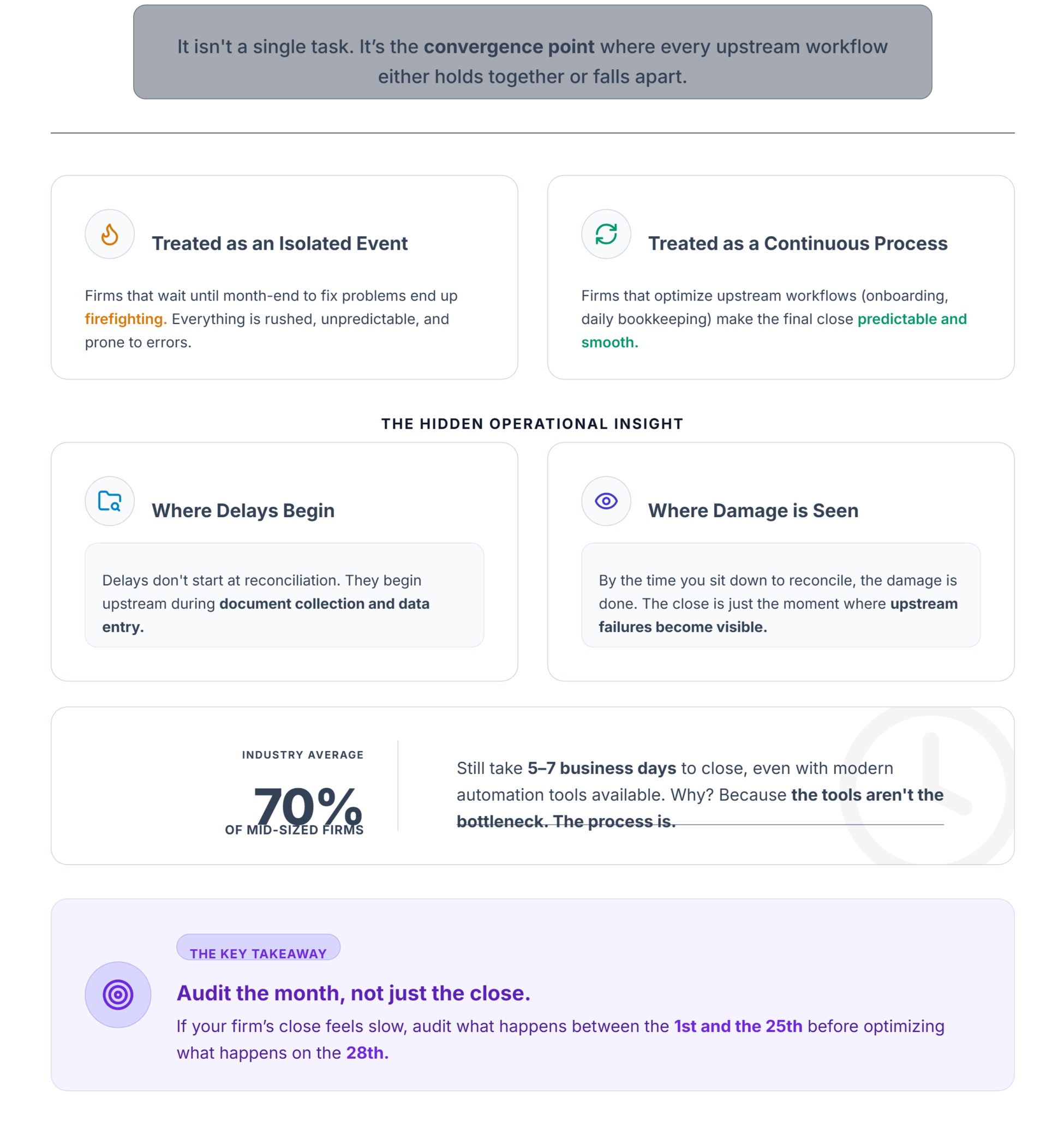
Month-end isn’t a single task. It’s the convergence point where every upstream workflow — client onboarding, bookkeeping, payroll, categorization, reconciliation — either holds together or falls apart.
When firms treat month-end as an isolated event, they end up firefighting. When they treat it as the output of a continuous process, closing becomes predictable.
The operational insight most competitors miss: month-end delays usually begin during document collection, not during reconciliation. By the time your team sits down to reconcile, the damage is already done — missing statements, uncategorized transactions, unprocessed payroll adjustments. The close itself is just where those upstream failures become visible.
That’s why 70% of mid-sized firms still take 5–7 business days to close, even with automation tools available. The tools aren’t the bottleneck. The process is.
Key takeaway: If your firm’s close feels slow, audit what happens between the 1st and the 25th before optimizing what happens on the 28th.
The Month-End Close Excellence Framework
Most guides give you a checklist. That’s necessary, but not sufficient. A checklist tells you what to do. A framework tells you when, why, and in what order.
Here’s the framework I recommend for multi-client Canadian firms:
Every section that follows maps back to these stages.
Preparing Throughout the Month
The firms that close in 2–3 days aren’t doing anything magical on closing day. They’re doing small, consistent things throughout the month that eliminate surprises.
Document collection starts on Day 1. Don’t wait until the 25th to request bank statements. Firms that review outstanding client requests weekly experience significantly fewer month-end bottlenecks.
Bookkeeping discipline is non-negotiable. Reconciliation delays often originate from uncategorized transactions that accumulated over weeks. When a rule-based categorization approach is in place, transactions get coded as they arrive — not in a frantic batch on Day 28.
Payroll must be finalized before financial reporting. This one trips up firms constantly. Payroll adjustments completed after financial statements are drafted create unnecessary revisions. Confirm payroll register accuracy by the 20th whenever possible.
Client communication cadence matters. Send a brief “month-end readiness” reminder to clients by mid-month. Clients appreciate predictable reporting schedules more than faster but inconsistent delivery.
Stop/Go Test: Can you name every document you need from each client before the 25th? If not, your pre-close process needs work.
The Complete Month-End Close Checklist
This maps directly to the Month-End Close Excellence Framework. Each step belongs to a specific stage.
Stage 1: Client Readiness
1. Confirm Outstanding Client Documents
Check every client for missing bank statements, credit card statements, loan documents, and receipts. Don’t start reconciliation until you have complete data. One pattern I keep seeing: closing one difficult client late cascades into delays for several other clients because the same staff member is assigned to both.
2. Review Payroll Processing
Confirm all payroll runs are finalized. Verify the payroll register matches general ledger entries. Flag any adjustments that still need posting.
Stage 2: Bookkeeping Accuracy
3. Verify Transaction Categorization
Run a report of uncategorized or suspense-coded transactions. Every item needs a proper account code. Standardized naming conventions reduce review time significantly — when one accountant codes “Office Supplies” and another codes “Supplies – Office,” your reporting loses consistency.
Stage 3: Reconciliation
4. Complete Bank Reconciliation
Reconcile all bank accounts, credit cards, and lines of credit. Compare system cash balances against bank portal balances for the exact same date. If the difference exceeds $100, stop and investigate — bank feed latency is a real issue, with feeds sometimes updating 24 hours late.
5. Investigate Exceptions
Clear all suspense account items. Exception handling should be documented immediately rather than remembered later. Old suspense items that drift month to month create dirty balance sheet data that compounds over time.
Stage 4: Financial Review
6. Review Financial Statements
Review the trial balance, balance sheet, profit & loss, and cash flow statement. Perform flux analysis on any account with a variance exceeding 5% from the prior month. The flux report should tell a clear variance story — not just flag numbers, but explain them.
7. Validate GST/HST Information
Where applicable, confirm GST/HST collected and paid figures align with the general ledger. Verify input tax credits are properly documented. This step prevents surprises during CRA filing periods. Strict cut-off rules for expense reports ensure no transactions bleed into the wrong period.
Stage 5: Reporting & Advisory
8. Internal Quality Review
Before anything goes to a client, a second set of eyes reviews it. Internal review checklists reduce reporting inconsistencies between team members. Different accountants following different review procedures create inconsistent quality — and clients notice.
9. Deliver Client Reports
Send finalized financial statements, month-end reports, and any advisory notes through a secure client portal. Confirm client receipt and approval.
Stage 6: Continuous Improvement
10. Capture Improvement Opportunities
What slowed you down this month? What documents arrived late? Which clients needed extra follow-up? Log it. An SOP update based on lessons learned can shave days off next month’s close.
Visual checkpoint: When done correctly, your system should show a zero open exceptions count, a locked period indicator, and every adjusting entry timestamped with a reviewer ID in the audit trail.
Common Month-End Mistakes
| Mistake | Why It Happens | Impact |
|---|---|---|
| Incomplete reconciliations | Missing bank data or feed latency | Balance sheet misstatements |
| Inconsistent review procedures | No internal checklist; each accountant reviews differently | Reporting quality varies by client |
| Over-reliance on manual spreadsheets | Legacy processes never updated | 30% higher error rate in reconciliations |
| Poor client communication | No mid-month reminders or document requests | Last-minute scramble for statements |
| Missing approvals | No defined approval workflow | Reports sit in limbo |
| Delayed payroll adjustments | Payroll finalized after reporting begins | Unnecessary financial statement revisions |
65% of the close process in many firms is still performed manually. That’s not a technology problem — it’s a process problem.
How High-Performing Accounting Firms Reduce Month-End Close Time
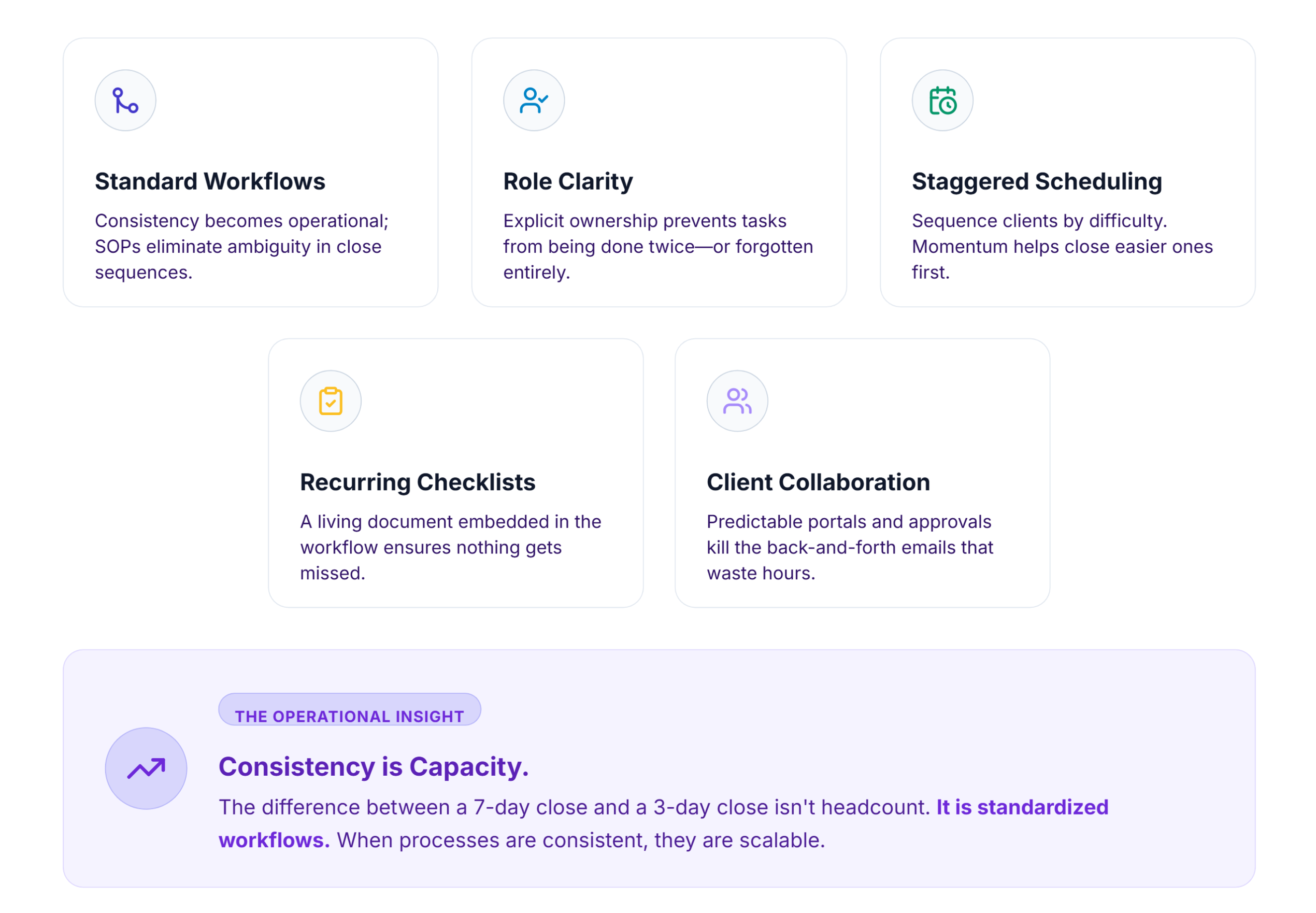
The difference between a 7-day close and a 3-day close isn’t headcount. It’s standardized workflows.
Standard operating procedures eliminate ambiguity. When every team member follows the same subledger close sequence, the same review checklist, and the same reporting format, consistency stops being aspirational and becomes operational.
Role clarity prevents duplication. Assign explicit ownership: who collects documents, who reconciles, who reviews, who delivers. When ownership is ambiguous, tasks either get done twice or not at all.
Multi-client scheduling matters more than most firms realize. Stagger your close across clients rather than attempting to close everyone simultaneously. Sequence easier clients first — the momentum helps.
Recurring checklists tied to each client ensure nothing gets missed. The checklist from this article isn’t a one-time exercise. It should be a living document embedded in your workflow.
Client collaboration structures — predictable communication cadences, shared document portals, approval workflows — eliminate the back-and-forth that eats hours.
Technology’s Role in Faster Month-End Closes
Let’s talk concepts before products.
Centralized bookkeeping — managing all clients from a single workspace — eliminates the context-switching tax of logging into different systems for different clients.
Payroll integration ensures the payroll register feeds directly into the general ledger without manual re-entry.
Automated reconciliation matches transactions against bank data systematically, flagging exceptions rather than requiring line-by-line review.
Financial reporting should generate balance sheets, profit & loss statements, and cash flow reports from reconciled data — not from manually assembled spreadsheets.
Document management and client collaboration portals replace email chains with structured, auditable communication.
Built for this workflow
LedgerNext supports multi-client bookkeeping, payroll, reconciliation, GST/HST reporting, financial reporting, and client collaboration in secure, centralized workspaces — built specifically for how Canadian accounting firms operate. See how it works.
Key Performance Indicators Every Firm Should Track
Most month-end guides stop at “close the books.” They never discuss how to measure whether your close process is actually improving. That’s a gap.
Track these KPIs monthly:
| KPI | What It Measures | Target |
|---|---|---|
| Average close time (days) | End-to-end duration per client | ≤ 3 business days |
| Reconciliation completion rate | % of accounts reconciled on schedule | 100% |
| Outstanding client requests at close | Documents still missing when close begins | 0 |
| Report delivery time | Days from period end to client delivery | ≤ 5 business days |
| Post-close correction rate | Adjustments made after period is locked | < 2% |
| Payroll adjustment frequency | Payroll changes after initial posting | Declining trend |
If your correction rate is climbing, your review process has gaps. If outstanding client requests at close remain high, your mid-month communication cadence isn’t working. The numbers tell the story — but only if you’re tracking them.
FAQ
How long should a month-end close take for a Canadian accounting firm?
High-performing firms close individual clients within 3 business days. Many firms still average 5–7 days due to document collection delays, manual reconciliation, and inconsistent review procedures. Reducing close time starts with mid-month preparation, not close-day speed.
What’s the connection between month-end closes and year-end readiness?
Every monthly close is a rehearsal for year-end. Firms with consistent monthly processes — clean reconciliations, accurate depreciation & amortization entries, documented accruals & prepayments — spend significantly less time on year-end adjustments and CRA preparation.
How do you handle clients who consistently submit documents late?
Set clear cut-off rules during onboarding. Communicate deadlines mid-month. If a client consistently misses deadlines, schedule their close last to prevent cascading delays for other clients. Document the pattern and address it in quarterly reviews.
What’s the biggest operational mistake firms make during month-end?
Treating month-end as an event rather than the output of a continuous process. When bookkeeping, categorization, and payroll aren’t maintained throughout the month, the close becomes a catch-up exercise instead of a verification step.
The Bottom Line
A faster month-end close isn’t about longer hours. It’s about consistent workflows, mid-month preparation, and standardized processes that scale across every client.
Ready to build that operational foundation?
Consistent workflows, mid-month preparation, and standardized processes that scale across every client — that’s how a faster close happens.
Automated Reconciliation
CRA-Ready Reporting